
Top 7 Ways an Amazon Product SEO Service Can Boost Your Sales in 2026
Your Amazon listings are probably losing clicks even if the copy looks fine.
Most sellers focus on titles and bullet points, but the real gatekeeper is click‑through rate. If shoppers don’t click, nothing else matters. That’s why an Amazon product SEO service has to start with data, not guesswork.
Here’s what a data‑driven approach looks like. First, pull the SP‑API reports for impressions, sessions and CTR across every ASIN. Second, flag any product that sits below the 2 % organic CTR benchmark for its category. Third, surface the top‑impact gaps – a missing attribute, a blurry main image or a generic title – and queue them for quick fixes.
Now you have a clear, repeatable loop: measure, prioritize, fix, re‑measure. Because the system is API‑connected, new data flows in every day, so you never have to run a manual spreadsheet audit again.
For a deeper dive on why scale matters, check out Amazon Listing Optimization at Scale: Why Manual .... It breaks down the cost curve of a per‑listing agency versus a continuous, AI‑assisted pipeline.
Start by mapping your catalogue, set a CTR threshold, and assign the first batch of fixes to your automation engine. Within weeks you’ll see higher click rates, better organic rank and more sales without extra ad spend.
You can also run quick A/B tests on main images using Amazon’s Manage Your Experiments tool. Even a small change like a three‑quarter angle can lift CTR by a few points, giving the algorithm a stronger relevance signal.
That’s the core of an Amazon product SEO service that actually moves the needle for large catalogues.
1. Keyword Research Tailored for Amazon Products
Good keyword work is the foundation of any amazon product seo service. Without the right terms shoppers never see your listings.
1. Pull real search data
Start with the Search Term Report from the SP‑API. It shows which words are already driving impressions for your ASINs. Spot the high‑volume terms that have low click‑through – those are quick wins.
2. Mix short and long tail
Short terms give you reach, long phrases give you intent. A hypothetical kitchen gadget might rank for “food processor” (short) and “quiet 12‑cup food processor for small kitchens” (long). Use both in titles and backend fields.
3. Validate with Amazon’s own guide
Amazon recommends testing primary keywords in the product title and spilling extra terms into the backend search terms. See the official Amazon SEO guide for details.
Here’s a quick checklist you can run each week:
- Export the latest Search Term Report.
- Flag any keyword with >5000 impressions and <2% CTR.
- Add the missing keyword to the title (max 60 chars) or backend.
- Monitor the change for one week.
Run this checklist to keep your keyword set fresh.
Remember, the goal isn’t to cram every phrase in. One clear, relevant keyword per field beats a wall of repeats.
By treating keyword research as a repeatable data loop, your amazon product seo service stays ahead of seasonal shifts and competitor moves.
Set a monthly alert for any keyword that drops over 15 % in CTR and refresh the copy fast.
2. Optimizing Product Titles and Bullet Points
Grab attention in the first 70 characters. Put the primary keyword at the very front, then add a single clear benefit. Mobile shoppers only see that slice, so make it count.
Keep the title under 200 characters. Drop filler words and avoid all-caps. A clean, readable title signals quality to both shoppers and the algorithm.
- Front-load the main keyword and a unique value proposition.
- Use title case, no excessive punctuation.
- Write each bullet as a specific, factual claim that answers a buyer question.
- Limit bullets to about 200 characters each and focus on the top three concerns.
- End with a short, punchy line that reinforces the benefit.
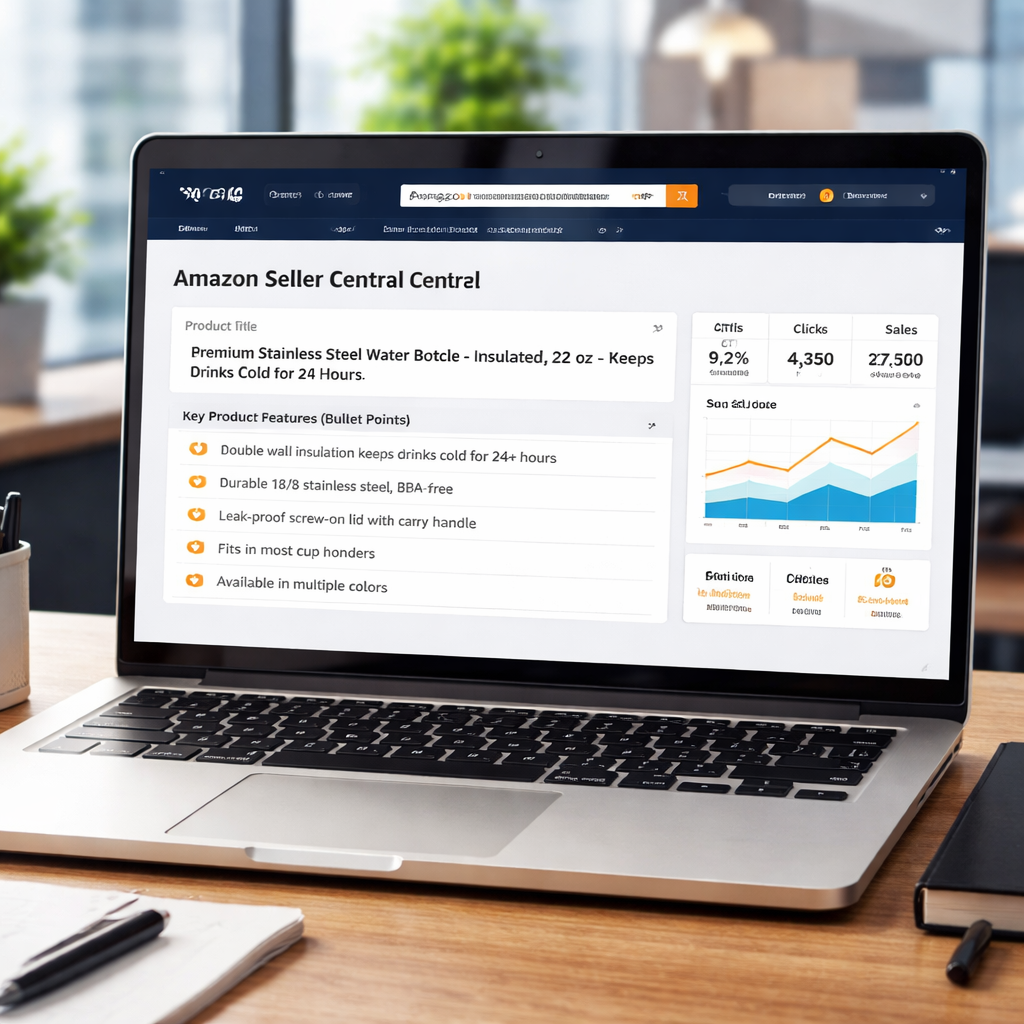
Imagine a 12-cup stainless steel water bottle. A solid title: "Stainless Steel Water Bottle - 12 Cup, Keeps Drinks Cold 24 Hours, Leak-Proof". First bullet: "Cold for a full day - insulation keeps drinks icy up to 24 hours". Second: "Leak-Proof lid - no spills in bags". Third: "Durable BPA-free steel survives drops".
For a deeper dive on click-through, see Amazon CTR Optimization: How to Systematically Win More ….
You can explore How to Choose the Perfect Wedding Photo Booth Rental: A Step-by-step Guide for a clear process.
See How to Choose the Best Corporate Event Photo Booth Rental for Your Business for a practical checklist.
3. Backend Search Terms & Data Table Comparison
Backend fields are the hidden engine behind your Amazon listing. If they miss the mark, shoppers never see you.
Pick the right terms
You should add only words that shoppers actually type. Pull the Search Term Report, flag any phrase with 5k+ impressions and under 2% CTR, then copy it to the backend.
Keep it clean
Amazon lets you use 250 characters across five fields. No repeats, no filler, no brand name unless it’s part of the search.
Compare with a quick table
| Backend Field | Ideal Use | Quick Check |
|---|---|---|
| Search Term 1 | Short, high-volume phrase | Impr >5k, CTR <2% |
| Search Term 2 | Synonym or alternate spelling | Matches buyer language |
| Search Term 3 | Missing attribute keyword | Added after attribute audit |
Notice how the first row uses a short phrase, the second adds a synonym, the third fills a missing attribute.
Here’s a practical step list:
- Export the latest Search Term Report.
- Sort by impressions, drop any term under 2% CTR.
- Fit the top three into separate backend slots.
- Run a 7-day watch on sessions to see lift.
Why does this matter? A BellaVix post shows that matching backend terms to ad keywords can cut CPC and boost sales how keyword research fuels ad efficiency.
So, what’s next? Keep the table updated each week. Treat it like a checklist, not a one-off job.
4. High-Converting A+ Content Strategies
1. Show, don’t just tell
Buyers decide in a split second. A big, sharp photo of the product in use beats a paragraph of features. Use three‑quarter angles, close‑ups of key details, and a lifestyle frame that still meets Amazon’s rules.
2. Write in plain, buyer‑first language
Swap vague hype for concrete claims. “Keeps drinks cold 24 hrs” tells a shopper exactly what they get. Pair each claim with a short benefit line so the AI can match it to a query.
3. Add modules that answer common questions
Pick the “Comparison” or “FAQ” blocks and fill them with real buyer queries you see in the “Customers ask” section. When a shopper asks “Is it dishwasher safe?” a clear yes/no answer shows up in search results.
4. Tie A+ updates to your amazon product SEO service workflow
Every time your keyword report flags a low‑CTR term, swap the matching module in A+ Content. That keeps the page fresh and gives the AI more signals to work with.
5. Test and measure
Run a 2‑week experiment with two versions of a module. Track sessions in Business Reports; a lift of even a couple of points is worth the effort.
6. Learn from proven results
SupplyKick notes that A+ Content can boost conversion rates and sellers who adopt it can see lifts of up to 25 % , a solid reason to make it a core part of any amazon product SEO service.
7. Keep modules mobile‑first
Design each module for mobile first. Most shoppers view A+ on a phone, so use big fonts and stacked images.
When you treat A+ as a living asset, your listings keep pulling clicks day after day.
5. Review Management and Social Proof
Reviews drive trust. They also move clicks and conversions. If you ignore them, you’re leaving money on the table. Let’s tighten this up so social proof helps your amazon product seo service work harder.
1. Own your review response process
Set a clear response standard. Short, specific, and kind. When a customer leaves a complaint, own the issue, explain what you did, and offer a resolution. Quick, respectful replies can calm a bad moment and keep your rating intact. Keep a response SLA of 24 hours.
To see how CTR links to visibility, check our guide: Amazon CTR Optimization: How to Systematically Win More ....
2. Use social proof on product pages
Show quotes from the best reviews in bullets and A+ modules. Display star ratings near the top. Show real use cases to help buyers picture themselves using the product. Use concise, outcome-focused quotes that map to common questions buyers have.
3. Build a review generation plan
Ask for reviews after a successful delivery. Send a gentle, compliant reminder. Offer guidance on how to write a helpful review. A steady stream of feedback beats spikes of praise followed by silence. Create a simple cadence and stick to it.
4. Monitor sentiment and flag risk signals
Track changes in average rating and review velocity. If you see a sudden drop, check for changes in images, price, or messaging that might have triggered it. Address the root cause before it compounds.
5. Actionable next steps
Run a 14‑day blitz: respond to all reviews, post a social proof update on your listing, and add one new Q&A item based on a common buyer question.
For more on reviews and Amazon SEO, see impact of customer reviews on Amazon SEO and rankings.
6. Sponsored Ads Integration with SEO
Paid ads can do more than just steal clicks. They can act like a scout for your amazon product SEO service, showing you which keywords actually pull traffic.
So, why ignore that signal when you already chase organic rank?
1. Pull ad data into your keyword loop
Sponsored Products reports give you impressions, clicks, and ACoS for each term. Use those numbers to flag low‑CTR keywords and replace them with high‑performers.
2. Let ad spend boost organic lift
A burst of sales from a targeted ad campaign spikes your sales velocity. A9 sees the lift and nudges the listing higher in organic results. Keep the budget tight and watch the rank creep up.
3. Mirror SEO copy in ad copy
Use the same phrasing from your title and bullets in Sponsored Brands headlines. Consistency signals relevance to Amazon’s algorithm. The Vested guide explains why this synergy works.
4. Retarget missed clicks with Sponsored Display
If a shopper sees your product in search but leaves, a display ad can bring them back. Each return adds a session that the algorithm counts as interest, slowly improving organic CTR.
5. Automate the feedback loop
Pull ad metrics daily via the SP‑API, flag listings under a 2 % CTR threshold, and push title or backend updates automatically. Your amazon product SEO service stays ahead without manual spreadsheets.
Remember to review the ad‑to‑organic funnel each week. A quick 10‑minute check can catch a dip before it hurts rankings.

By weaving ad insights into every optimization step, you turn paid spend into a permanent SEO boost. That's the power of an integrated amazon product SEO service.
Conclusion
You’ve seen how data, API pulls and AI can turn a chaotic catalogue into a steady flow of clicks.
When your titles, bullets and backend terms all speak the same language as your ads, the algorithm rewards you with higher rank.
Missing attributes or thin bullet points? The same loop that flags a 2 % CTR will surface those gaps before they cost you sales.
So, what’s the next step? Put a continuous amazon product SEO service in place that pulls SP‑API reports every day, updates copy automatically and lets you focus on strategy, not spreadsheets.
Platforms like marketplacer.agency make that possible with a scalable, expert supervised system that never sleeps.
Give your catalogue the attention it deserves and watch the click‑through lift turn into real revenue.
Ready to stop guessing and start measuring? Start a free audit today and see where your listings fall short.
Your growth starts with a single click.
FAQ
What is an amazon product seo service and why does it matter?
An amazon product seo service is a set of tools and expert processes that keep every ASIN in your catalogue visible and click‑ready. It pulls data from the SP‑API, flags gaps in titles, bullets, backend terms, and then updates the copy so the algorithm sees a consistent, high‑quality signal. The result is more clicks, higher rank, and steadier sales without you having to edit each listing by hand.
How does the SP‑API help automate keyword updates?
The SP‑API gives you direct access to Amazon’s performance reports – impressions, sessions, CTR, and keyword‑level data. By pulling these reports each day, a service can automatically replace under‑performing terms in titles or backend fields with higher‑traffic alternatives. Because the feed is live, changes roll out within hours, so you never wait weeks for a spreadsheet update to take effect.
What data should I monitor to catch low CTR listings?
You should watch three core metrics: organic CTR, session growth, and buy‑box share. A dip below the 2 % CTR benchmark on a high‑impression keyword signals a copy problem. Falling session numbers while impressions stay flat point to a relevance issue. A sudden drop in buy‑box percentage often means a price or fulfillment change that also hurts click‑through. Set alerts for each metric so you can act fast.
Can a continuous service handle large catalogues without manual work?
A continuous amazon product seo service scales by pulling data through the API, running AI checks for missing attributes, and then queuing updates for expert review. Because the pipeline is automated, adding new SKUs simply means they enter the same loop – no extra spreadsheets or manual audits. This lets enterprise teams manage thousands of listings while keeping quality steady.
How often should titles and bullet points be refreshed?
Titles and bullets should be refreshed whenever the keyword report shows a term with over 5,000 impressions but a CTR under 2 %. That usually happens every 4–6 weeks for active categories. A practical rule is to run a quick audit monthly, make the swaps, and then monitor the change for one week before moving to the next batch.
What steps do I take to start a free audit?
To start a free audit, visit the marketplacer.agency site and request the suitability scanner. You’ll need to give read‑only API credentials so the system can pull your SP‑API reports. Within a day you’ll get a list of ASINs that fall below CTR thresholds, missing attributes, and suggested copy fixes – ready for you to approve.
Want this done for your catalogue automatically?
Get a free catalogue scan