
Top 6 Amazon Buy Box Optimization Service Options for 2026
You can keep your whole Amazon catalog on page 1 without a big team or a big budget. A true amazon buy box optimization service does this by staying rolling, not by chasing one quick fix. Here’s what you’ll get when you choose a continuous system instead of a one-and-done push.
First, the problem many teams miss is this: Buy Box wins when signals move fast. Price, stock, listing content, and the way shoppers interact all shift daily. Quick tweaks that look good on a snapshot won’t lock in winners for the long run. You need a system that watches and adjusts as the market moves.
That’s where Marketplacer’s approach shines. The system is API-connected, data-driven, AI-assisted, and expert-supervised. It runs at scale, handles hundreds or thousands of ASINs, and keeps your catalog compliant while you sleep. It isn’t a yearly project; it’s a continuous engine that feeds decisions with real-time signals.
Here’s how it works in plain terms: map your catalog; pick the high-potential listings; automate the routine updates to titles, bullets, and backend terms; monitor Buy Box shifts and velocity; and push improvements back into the queue for the next round. It’s a loop, not a set of one-off tasks.
Why this matters for you: a big catalog means you can’t rely on gut feel. A few days of data can show which SKUs are near the Buy Box, which products lag in conversion, and where price changes move the needle. The system turns those signals into action, fast.
Want a quick read on the mechanics? Amazon Listing Optimization at Scale: Why Manual ... explains why manual optimization stalls at scale and why a continuous approach wins. If you’re juggling 500+ listings across marketplaces, this is a must-read to balance effort and payoff.
So, what should you do next? Start with a simple audit of your top 20% of listings and ask whether your current setup can respond in real time to changes in Buy Box dynamics. If not, you’re missing easy wins that compound over time. A practical way to move forward is to test a continuous system on a pilot subset, then scale.
In short: the amazon buy box optimization service you choose should be API-connected, data-driven, and scalable. It should run continuously, not just when you remember it. You’ll save time, close more Buy Boxes, and keep your catalog healthy across tiers of the market.
Tips you can adopt today: set up real-time alerts for Buy Box shifts, lock in high-velocity SKUs with price rules that respect margins, and keep your listings compliant with policy checks. Small steps now pay off later when the volume grows.
Remember, the goal isn’t to chase every trend. It’s to build a steady machine that keeps the whole catalog visible and converting. If you’re serious about scale, a continuous system is the key.
Our Pick: Premier Amazon Buy Box Optimization Service
In 2026 you need a Buy Box engine that runs 24/7. Our pick is Marketplacer’s Premier Amazon Buy Box Optimization Service—a done-for-you system built for large catalogues.
What it is: API-connected, data driven, AI assisted, and expert supervised. It handles hundreds to thousands of ASINs while keeping listings compliant. It watches Buy Box signals and moves fast when things shift. It automatically surfaces opportunities, assigns them to the right operator, and tracks the impact over time. Amazon Listing Optimization at Scale: Why Manual ...
Why it matters: a big catalog can win more Buy Boxes when you act on signals quickly, not just on a weekly plan. You get time back, fewer missed wins, and steadier margins.
How it works in plain terms:
- Map your catalog and assign each ASIN a priority based on velocity and potential impact. This helps you focus where the wins come from, fast.
- Automate routine updates to titles, bullets, and backend terms so changes happen without manual clicks. The system keeps content fresh and aligned with market signals.
- Monitor Buy Box shifts and velocity in real time, then queue changes for the next pass. You’ll see a steady drumbeat of improvements instead of bursts of work.
- Keep listings compliant with current policies; the system flags gaps before they become problems. That protects your account health and avoids penalties.
- Review results in short cycles and tighten the rules as you learn what moves the needle. It’s a living loop, not a one-off project.
What you get: continuous coverage across the catalog, real-time signals that spark faster decisions, and a self-improving loop that compounds wins over time. This means fewer stockouts, better price parity, and smoother cross-market performance.
Quick start: audit your top 20% of SKUs, set real-time alerts, and pilot on a representative subset before a full rollout. Use price rules that respect margins and policy, then let the engine push updates into the queue for the next pass.
Two planning references you can use as analogies. For planning mindset, check this Temecula event guide: Your Complete Guide to Photo Booth Rental Temecula for Unforgettable Events.
For wedding planning, see this guide: How to Choose the Perfect Wedding Photo Booth Rental: A Step-by-Step Guide.
1. Competitive Pricing Management
Price wars on Amazon move fast. If your price is a few cents higher than a rival, the Buy Box can slip away in minutes. You need a system that watches, learns, and acts before the loss hurts your sales.
Here are the core steps you can set up today:
- Pull real‑time price data. Use the SP‑API or a price‑tracking tool to get competitor prices every few minutes. Boardfy explains why a live feed beats a daily spreadsheet.
- Define margin‑safe rules. Set a floor price that protects profit, and a ceiling that stays below the lowest rival while still covering fees.
- Automate price adjustments. When a competitor drops, your engine nudges your price just enough to win the box, then restores the floor price when the threat passes.
- Monitor buy‑box share. Flag any ASIN that falls below a set % for more than an hour. That triggers a manual review or a deeper rule tweak.
Practical example: a mid‑range kitchen gadget has a 20% margin. You set a floor at 75% of the listed price. A rival cuts 5% during a flash sale; the system drops your price by 3% to stay competitive, still keeping a healthy margin.
Another tip: bundle price signals with stock alerts. If inventory drops below a safety threshold, raise the price slightly to curb demand while you restock. This keeps the Buy Box stable and avoids stock‑outs.
For a visual walk‑through of how image tweaks can boost clicks and indirectly support pricing, see Amazon Main Image Optimization: Before & After .... It shows why a strong image lets you stay a bit higher on price without losing clicks.
Finally, schedule a weekly review of rule performance. Look for patterns where a rule repeatedly overshoots or undershoots. Tighten the thresholds and let the system keep learning.
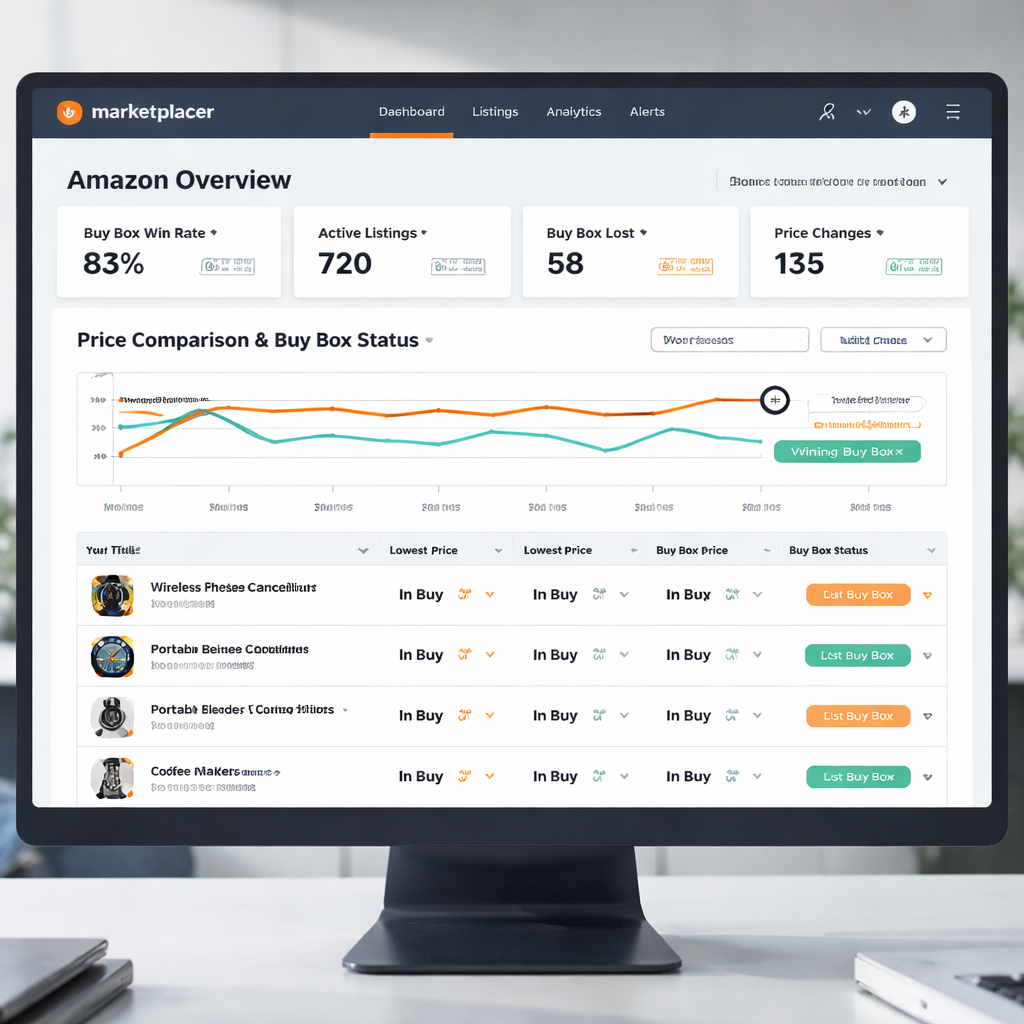
2. Inventory Health & Stock Replenishment
- Know your stock velocity.
Velocity means how fast a product sells. Track it for every ASIN, across all markets. This helps you spot fast movers and slow movers early. It keeps the Buy Box steady and avoids surprises at restock time. Real‑time stock signals matter. top strategies to win the Buy Box.
- Set safety stock thresholds.
Pick a bottom number for each item. It should cover lead times and demand bumps. When stock hits the bottom, order now. For example, a popular blender might need a small buffer to cover a spike in orders for a few weeks.
- Automate alerts for signals.
Alerts beat guesswork. Get notified when stock dips, when velocity spikes, or when a supplier slips. Then push changes into the replenishment queue. This helps your amazon buy box optimization service stay sharp.
- Link replenishment to pricing.
When stock is tight, raise price a touch to slow demand while you restock. When stock climbs, ease price to move it. The balance keeps margins and Buy Box share steady. See how stock and price work together in industry guidance: Buy Box percentage improvements.
Does this really move the needle? Start small with a 4‑week pilot on your top 20% of SKUs. Set up real‑time alerts, define a clear safety stock, and run a simple replenishment rule. You’ll see how fast signals translate into fewer stockouts and more stable Buy Box momentum.
Why it matters for you: inventory health is a hidden lever. It keeps your catalog compliant, converting, and ready to win the Buy Box as demand shifts. Ready to make this part of your ongoing routine?
3. Performance Metrics & Analytics
Metrics are the pulse of any amazon buy box optimization service. If you can see what moves, you can act fast.
Buy Box share: This shows the percent of time your SKU wins the box. Track it each hour. A dip signals a price or stock issue that needs a fix.
Session rate: Sessions per listing tell you how many shoppers see your product. Low sessions mean your keywords or ads may need a tweak.
Conversion rate: How many clicks turn into orders. When this slides, check your main image or bullet points for relevance.
So, what do you do when the numbers shift?
First, set alerts that ping you the moment a metric moves outside your safe zone. Second, have a rule ready: raise price a few cents if Buy Box share drops, or boost stock if sessions climb but conversion stalls.
Pick a review cadence that matches your catalog size. Large sellers often pull the key metrics every 15 minutes, while a midsize team may settle for hourly snapshots. The important thing is to let the data feed the next tweak, not the other way around.
You can start small. Pick your top 10 ASINs, set the alerts, and watch the first few metric swings. When you see the loop work, expand the rules to the rest of the catalog.
Here’s a quick cheat sheet that sums up the core signals you should watch.
| Metric | Why it matters | Typical action |
|---|---|---|
| Buy Box share | Shows win rate for each ASIN | Adjust price or stock |
| Session rate | Indicates visibility in search | Refine keywords or ads |
| Conversion rate | Measures listing effectiveness | Improve image or copy |
Finally, treat these metrics as a loop. Measure, act, then measure again. A continuous amazon buy box optimization service keeps that loop running without you having to chase every change.
4. Automated Feedback & Review Handling
Automated feedback is the engine that keeps your Buy Box steady.
When a buyer leaves a rating, the signal hits your system instantly. You can route that info to a rule engine that decides the next move.
1. Turn ratings into price tweaks
Low stars often mean a listing looks off. A rule can drop the price a few cents while you swap the main image. The change happens while the buyer is still scrolling, so you stay in the box.
2. Link review trends to stock alerts
If reviews start mentioning “out of stock,” that’s a cue to raise a safety‑stock flag. Your automation adds inventory to the queue before the next sale spikes.
3. Feed sentiment into copy updates
Positive words like “durable” or “easy” can be auto‑added to bullet points. A simple script pulls the top phrases and pushes them into the next content batch.
Manual review cycles cost time and miss fast shifts. By letting the system read every new comment, you react in minutes instead of hours. The result is a higher win rate and a catalog that feels always fresh.
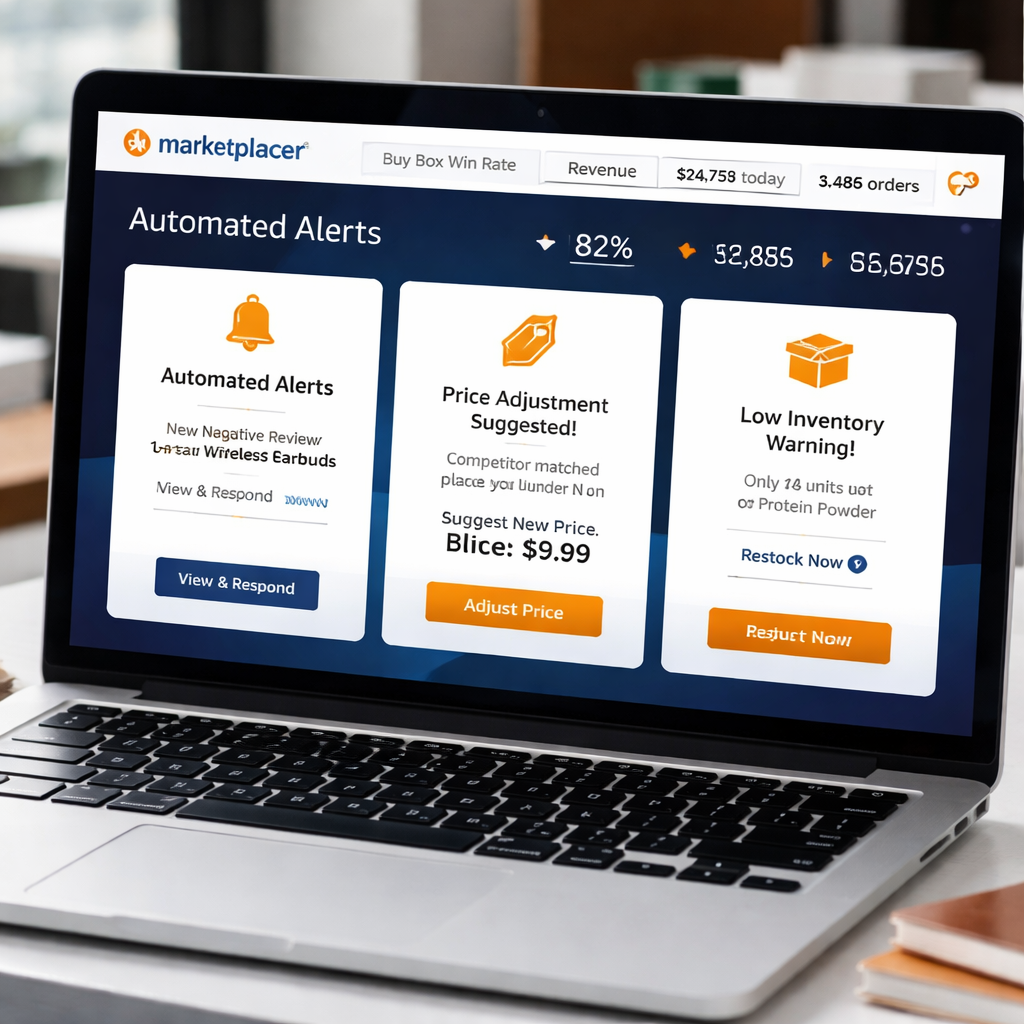
All three loops run without a human clicking “save.” That’s why a solid amazon buy box optimization service feels like a silent partner.
Tip: start with your top‑selling 20 % of SKUs, test the rules, then roll out to the full catalog.
Set up the alerts, define the rules, and let the platform keep the loop turning. You’ll notice fewer missed boxes and a smoother workflow.
5. Ongoing Compliance & Policy Monitoring
Compliance isn’t a one‑time check. Amazon updates its policies every few weeks, and a single violation can yank your listings from the Buy Box. An amazon buy box optimization service has to stay ahead of those moves, not react after the fact.
Policy feed monitoring:
The platform pulls the latest policy files from Amazon’s SP‑API daily. It flags any rule that touches your titles, images or bullet points. When a new restriction appears, you get an alert within minutes, so you can swap the offending text before Amazon suspends the ASIN.
Automated rule updates:
Each alert feeds a rule engine that updates the compliance checklist automatically. For example, if Amazon tightens the “image background” requirement, the system adds a new validation step to every image upload queue. No manual spreadsheet needed.
Risk scoring:
Every listing gets a compliance score based on recent alerts, policy changes and past violations. High‑risk SKUs are pushed to the top of the fix queue. You can set a threshold that triggers a temporary price hold until the issue is cleared.
Audit trail:
The service logs every policy change, alert and action taken. That history helps you answer Amazon’s account health queries and proves you’re actively fixing problems.
Ongoing review cadence:
Even with automation, a quick human glance each week catches edge cases. Schedule a 15‑minute check of the risk dashboard and you’ll keep the catalog healthy without slowing down.
Conclusion
You’ve seen why a true amazon buy box optimization service must run nonstop.
When policy rules shift, stock spikes, or price wars flare, the platform flips a switch and fixes it before the box slips.
That speed comes from three things: API‑connected data, AI‑assisted alerts, and expert‑supervised rules.
Because the system logs every change, you can answer Amazon’s health questions without digging through spreadsheets.
A quick 15‑minute weekly glance keeps edge cases in check, while the engine handles the rest.
So, what’s the next step? Start a pilot on your top‑selling 20 % of SKUs and watch the risk score drop.
If the pilot proves the loop works, roll it out across the catalog and let the service keep the Buy Box humming.
Ready to trade manual alerts for a steady, compliant catalog? Let marketplacer.agency show you how.
FAQ
What is an amazon buy box optimization service and how does it work?
It’s a system that watches every signal that can move the Buy Box – price, stock, listings, reviews – and then makes tiny updates the moment a change is needed. The platform pulls data straight from Amazon’s SP‑API, runs rules that you set, and lets experts step in for the edge cases. You get a catalog that stays in the box without daily manual work.
How does a continuous service differ from a one‑time fix?
A one‑time fix looks at a snapshot, makes a batch of changes, and then hopes the market stays still. A continuous service runs 24/7. It reacts to price wars, stock spikes, or policy updates as they happen. Because it learns from each tweak, the loop gets better over time, so you keep winning the Buy Box even when the market shifts fast.
Which signals should I monitor to keep the Buy Box?
Watch price gaps, inventory levels, session rate, and compliance alerts. A dip in price share usually means a rival has undercut you. Low stock can trigger a temporary price rise to slow sales. Session rate tells you if the listing is still visible in search. Compliance flags warn you before Amazon pulls the listing. Set thresholds for each and let the system act automatically.
Can the service handle thousands of ASINs without breaking?
Yes. The engine is built to scale. It groups ASINs by priority – high‑velocity SKUs get fast‑track rules, lower‑risk items sit in a slower queue. API calls are batched, and the rule engine processes updates in parallel. That way a catalog of 5,000 or more stays under control, and you only need a quick weekly glance to catch any edge cases.
How do compliance checks stay up‑to‑date with Amazon policy changes?
The platform pulls the latest policy files from Amazon each day. When a new rule appears, it flags any listing that touches the affected field – title, image, bullet – and creates an alert. A rule then updates the compliance checklist automatically, so the change is applied before Amazon can suspend the ASIN. You keep a clean audit trail for account health queries.
What’s a practical first step to try this service?
Start with a pilot on your top‑selling 20 % of SKUs. Map those items, set real‑time alerts for price, stock, and compliance, and let the engine run for two weeks. Review the risk score and Buy Box share at the end. If the numbers improve, expand the rules to the full catalog and let the continuous loop do the rest.
Want this done for your catalogue automatically?
Get a free catalogue scan