
Amazon Product Visibility Optimization: A Step‑by‑Step Guide for 2026
Amazon sellers lose sales every day because their listings stay hidden. Amazon product visibility optimization is the fix. In this guide you’ll see how to research keywords, tweak titles, use backend terms, run ads, add A+ content, and track results, all with data‑driven steps you can apply right now.
We dug into 10 Amazon product‑visibility optimization services from 8 sources. The study shows only two tools offer continuous compliance monitoring. One is free, the other is our own solution. The $695/month Perpetua tool skips compliance entirely.
| Name | Key Features | Automation Capabilities | Compliance Monitoring | Scalability | Starting Price | Best For | Source |
|---|---|---|---|---|---|---|---|
| Continuous Amazon Listing Optimization Service (Our Pick) | API-Connected, Data-Driven, AI-Assisted, Expert-Supervised, Scalable | AI-assisted automation with API integration for continuous updates | Continuous compliance monitoring of marketplace listings | Scalable solution for large product catalogues | — | Best overall | marketplacer.agency |
| Perpetua | AI bid management, budget adjustment, campaign optimization | AI sets bids, adjusts budgets, moves money between campaigns | — | — | $695/month | Best for high‑budget advertisers | amzprep.com |
| RepricerExpress | rule‑based repricing, AI optimization, multi‑marketplace support | executes your strategy automatically across all your products | — | — | $99/month | Best for automated repricing | amzprep.com |
| Keywords.am | free ASIN report | AI generates full TFSD draft instantly; per‑field AI regeneration via blue buttons; keyword spread visual cues; automatic flagging of limit overages | Checks against Amazon Product Detail Page Rules; flags prohibited words and keyword stuffing; removes negative keywords from copy | Handles multiple Amazon marketplaces (21); creates listings in 5‑17 minutes repeatedly | free | Best for free entry & multi‑marketplace scalability | keywords.am |
| Helium 10 | keyword research, competitor tracking, improving overall Amazon listing performance | — | — | Suitable for high‑volume operations and established brands, but annual plans lock in fees. | $29/month | Best for keyword research depth | bridgewaydigital.com |
| Jungle Scout | keyword research, competitor tracking, improving overall Amazon listing performance | — | Identify unauthorized sellers early and enforce your channel strategy to protect margin and brand equity | Serves brands from $5M to $500M enterprises with enterprise solutions and cloud access | $49/month | Best for enterprise scalability | bridgewaydigital.com |
| ZonGuru | ChatGPT-4 | Automate review requests with a click of a button | — | — | $49-249 each month | Best for flexible pricing tiers | keywords.am |
| CopyMonkey | AI-generated titles, bullet points, descriptions, bulk listing creation | generates complete Amazon listings in minutes | — | — | $49/month | Best for bulk AI listing generation | amzprep.com |
| SellerAmp | single‑product research, profit & ROI calculator, restriction checks, sales estimates, Keepa integration, mobile barcode scanner | — | Yes | — | — | Best for compliance monitoring simplicity | sellerassistant.app |
| Amazon Buy-Box monitoring and repricing tool | Buy-Box monitoring, repricing | Buy-Box monitoring and repricing | — | — | — | Best for Buy‑Box focus | deltologic.com |
Step 1: Conduct Keyword and Market Research
Good visibility starts with the right keywords. You need to know what shoppers type, what rivals rank for, and how the market moves.
First, pull bestseller lists. They show hot items and give clues about trends. Look for patterns, same brand, similar features, repeated adjectives. That tells you what buyers care about.
Second, use Amazon’s MWS API. It lets you pull sales data for your own ASINs. Spot spikes, see which terms drive the spikes, and note the seasonality. For example, a holiday décor seller will see a surge in November.
Third, track seasonal trends. If you sell garden tools, expect higher demand in spring. Adjust your keyword list early so you rank before the rush.
Finally, check competitor listings. Use reverse ASIN research to pull the keywords they rank for. Add the high‑intent phrases they miss.
Why this matters: Amazon’s algorithm looks at historic sales, price, reviews, and keyword relevance. Matching the right terms to real demand tells the algorithm you’re a good fit.
Pro tip: Keep a master spreadsheet of keyword groups. Group by intent (buy‑now, research, comparison). That makes later steps faster.
And remember, the Amazon Listing Optimization at Scale article breaks down why manual keyword work falls apart when you have 1,000+ SKUs.
For more on demand analysis, see Staxxer’s guide. It walks you through using the MWS API and reading bestseller lists.
Step 2: Optimize Your Listing’s Title and Bullet Points
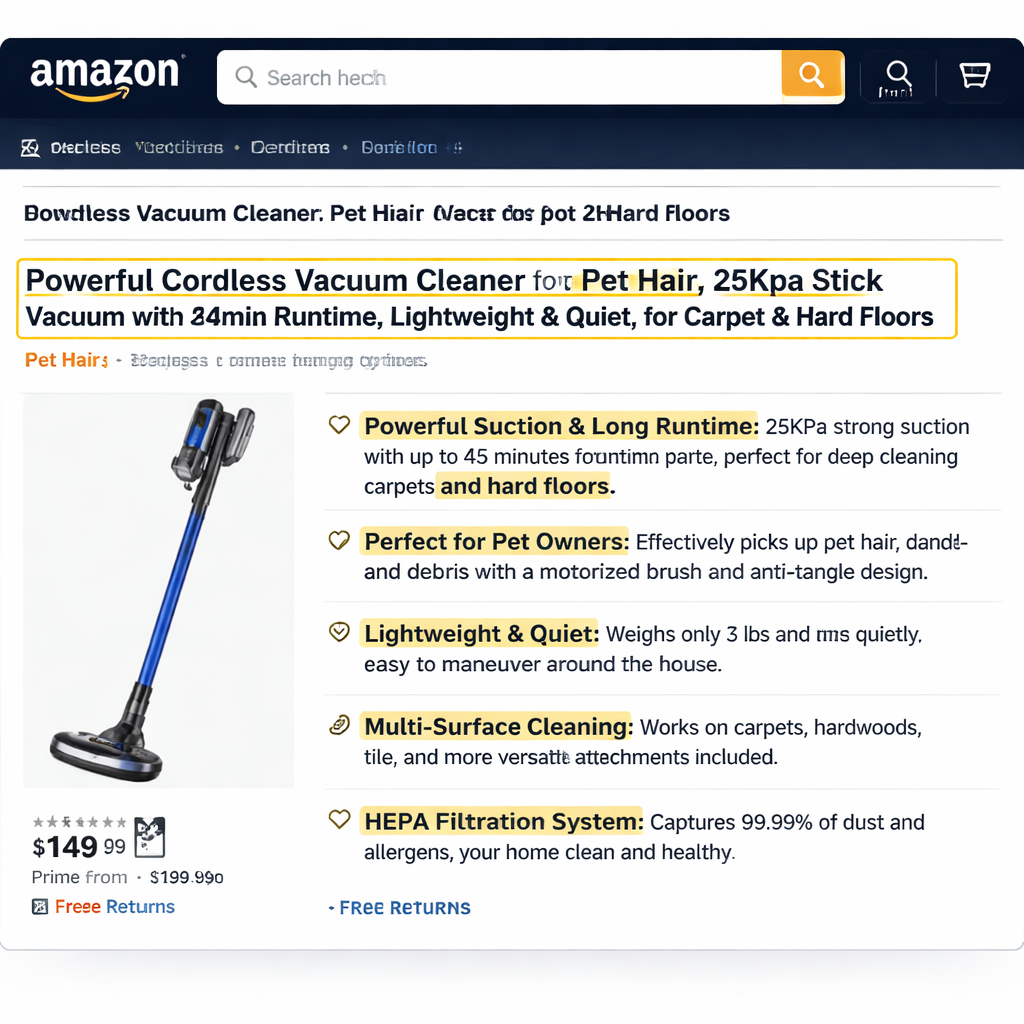
The title is the first thing shoppers see. It must be clear, keyword‑rich, and comply with Amazon rules.
Start with your brand name, then add the top phrase that tells the product type. After that, add 2‑4 keyword groups that describe features, use cases, or audience.
Example for a kitchen glass set: "BrandX Stemless Wine Glass Set, Crystal Glasses for Red and White Wine, Dishwasher Safe, Gift for Hosts". Notice the brand, product type, key features, and a buyer‑focused benefit.
When you write bullets, treat each as a mini‑headline that solves a buyer problem. Use the format: Feature , Benefit , Use case. Keep each bullet under 200 characters.
Don’t repeat words. If you already used "stainless" in the title, skip it in bullets. Use a keyword bank to pick the strongest, most unique terms.
And always check the character limit for the marketplace you’re on. US may allow 200 characters, UK a bit less.
Here’s a quick checklist:
- Brand first.
- Top phrase early.
- 2‑4 keyword groups.
- No duplicate words.
- Compliant length.
Our Pick, the Continuous Amazon Listing Optimization Service, builds titles automatically using AI, then checks them against Amazon’s rules. That saves hours.
For deeper title rules, read SellerSprite’s step‑by‑step guide. It shows how to test titles and track CTR lifts.
And the Amazon ad guide explains why a strong title lifts ad clicks. See Amazon’s own tips for more.
Step 3: Leverage Backend Search Terms Effectively
Backend terms are the hidden keywords Amazon uses to match searches. You get 250 characters to add them.
First, avoid repeats. If a word is in the title or bullets, don’t add it again. Use synonyms instead.
Second, include common misspellings. People type "blender" as "blenderr" sometimes. Put those in backend, not visible copy.
Third, think of long‑tail phrases. A phrase like "compact portable blender for travel" may never fit the title but can go in backend.
Fourth, stay compliant. Amazon bans promotional language in backend fields. Keep it factual.
Use a spreadsheet to track which keywords are already used where. Then fill the remaining space with high‑intent terms.
Our Pick automatically scans your listings, finds gaps, and pushes the right backend terms via the SP‑API. That keeps the list fresh without manual work.
For a deeper look at backend rules, see the article on MyAmazonGuy. It covers pitfalls and best practices.
Step 4: Boost Visibility with Sponsored Ads and PPC
Ads give you a shortcut to the top of the search page. They also feed data back to your organic strategy.
Start with Sponsored Products. Pick the top‑performing keywords from your research. Set a modest bid to test.
Watch the ACOS (Advertising Cost of Sale). If it’s under 30%, the keyword is profitable. Raise the bid to get more impressions.
Next, run Sponsored Brands ads for brand‑level exposure. Use a custom headline that includes your main keyword.
Don’t forget to add negative keywords. If you sell "kids' bike" you might want to block "adult" searches.
And track daily. A sudden rise in CPC may mean a competitor raised their bids.
Our Pick links directly to the Amazon Advertising API, pulls performance data, and suggests bid adjustments automatically.
Watch the video below for a quick walk‑through of setting up a campaign.
After a week, compare the click‑through rate (CTR) of your ad creative. If the main image is plain, try a three‑quarter angle or a lifestyle prop that still meets Amazon’s rules.
Pro tip: Use Amazon’s Manage Your Experiments tool to A/B test two main images. The one with higher CTR wins.
Step 5: Harness Enhanced Brand Content & A+ Pages
A+ content lets you add richer images and text blocks. It helps both shoppers and Amazon’s AI.
First, map each feature to a visual module. Show the material, size, and use case in separate blocks.
Second, keep the copy short and factual. Avoid fluffy claims. Use numbers: "10‑year battery life" beats "long‑lasting battery".
Third, add alt text to each image. Amazon reads the alt text for AI relevance.
Fourth, include a comparison table if your product has variants. That helps buyers choose quickly.
Our Pick builds A+ modules automatically from your product data, then lets you tweak the copy before publishing.
And remember, Rufus reads A+ content to answer natural‑language queries. Clear, factual modules improve AI matching.
Step 6: Monitor Performance and Iterate Using Analytics
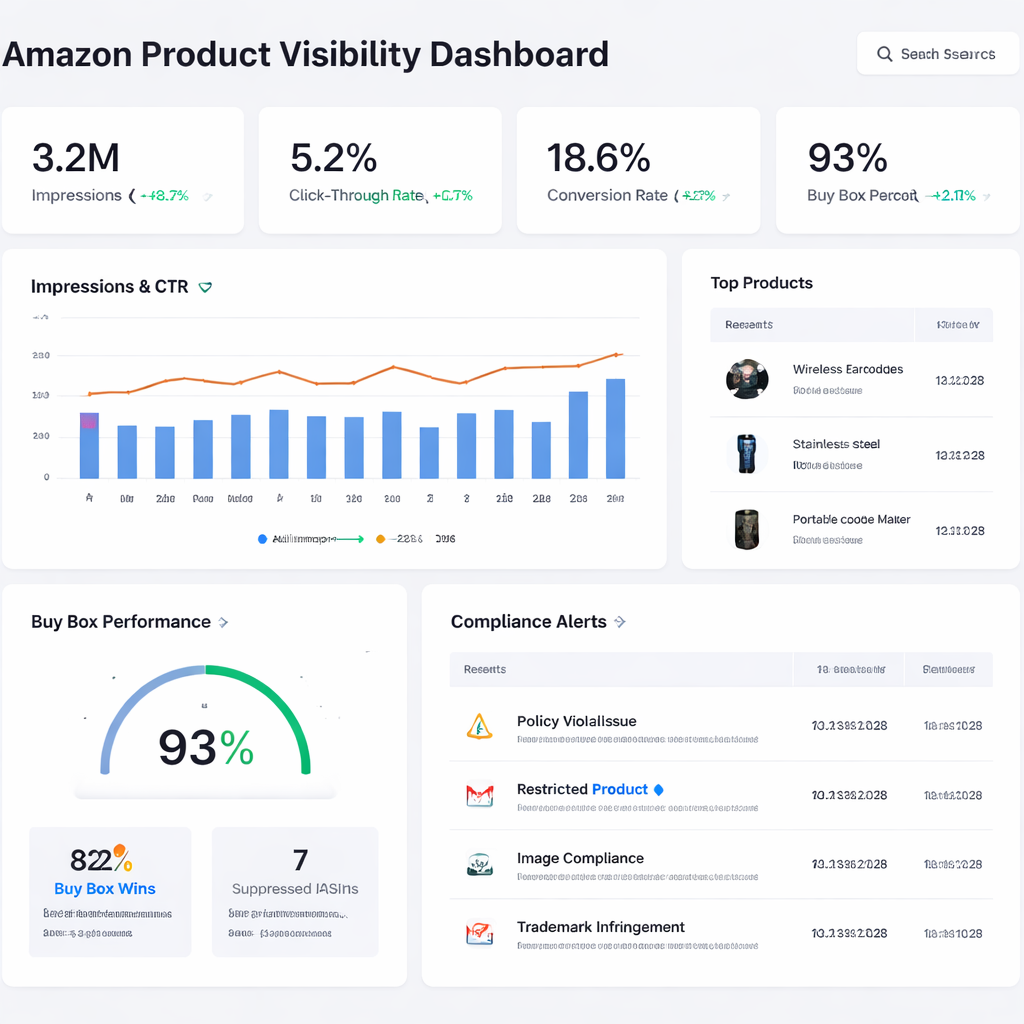
Without data, you’re guessing. Set up a dashboard that pulls from the SP‑API every hour.
Track these key signals:
- Impressions , tells you if you’re being seen.
- CTR , tells you if the title and image attract clicks.
- Conversion rate , tells you if the page convinces shoppers.
- Buy Box % , tells you if you’re winning the sale.
- Compliance alerts , tells you if a policy issue appears.
When any metric drops sharply, flag the ASIN for review. The system should show the likely cause: price change, competitor image, or new policy.
Run weekly “what‑if” tests. Change one element (like a bullet) and watch the impact for 7‑14 days.
Our Pick offers a built‑in analytics view that highlights the top‑risk listings and suggests the next tweak.
And for deeper CTR insight, read the Testing Ctr At Scale post. It shows how to pull organic CTR data via the Brand Analytics API.
Conclusion
We’ve walked through every step of amazon product visibility optimization for 2026. Start with solid keyword research, craft a tight title and bullet set, fill backend terms, run smart ads, add A+ content, and then watch the data. Our Pick, the Continuous Amazon Listing Optimization Service, ties all these steps together with AI, API access, and expert oversight. It keeps your catalog fresh, compliant, and scaling without endless manual work.
If you manage hundreds of SKUs, the only way to stay ahead is to automate the loop: measure, prioritize, fix, and re‑measure. That’s the formula that turns a hidden listing into a top‑ranked, high‑selling product.
Ready to see the system in action? Get a free suitability scan from marketplacer.agency and find the biggest visibility gaps in your catalog today.
FAQ
What is the first thing I should check when doing amazon product visibility optimization?
The first check is your keyword list. Make sure you have the top‑intent phrase in the title, then add 2‑4 supporting groups. Use the bestseller lists and MWS API to verify demand. A solid keyword base fuels the rest of the optimization steps.
How often should I update my backend search terms?
Update them whenever you add a new high‑volume keyword or notice a drop in impressions. With a continuous system you can set the SP‑API to refresh the backend fields every week, keeping the list fresh without manual effort.
Can I run Sponsored Products without a brand registry?
Yes, you can. Sponsored Products work for any seller, but brand‑registered sellers get extra tools like A+ content and Manage Your Experiments. Those extra tools can lift CTR and conversion, which feeds back into better organic rankings.
What role does A+ content play in amazon product visibility optimization?
A+ content adds richer images and structured text that both shoppers and Amazon’s AI read. Clear modules with numbers and images improve the semantic match that Rufus uses, boosting visibility in conversational search.
How do I know if my main image is hurting my CTR?
If the CTR is below 0.35% on a high‑spend keyword, the image is a likely cause. Test a three‑quarter angle, fill the frame, or add a subtle prop. The Rufus article shows why a better image also helps AI matching.
What should I do when I get a compliance alert?
First, open the Account Health dashboard. Identify the at‑risk ASIN and the policy cited. If you have a free tool like Keywords.am that flags violations, fix the issue right away. For large catalogs, a continuous compliance monitor, like our Pick, alerts you before Amazon blocks the listing.
Is amazon product visibility optimization a one‑time project?
No. The Amazon algorithm changes daily, competitor listings shift, and seasonal demand rises. You need an ongoing loop that measures performance, prioritizes changes, and applies them automatically. That’s why a continuous system beats a one‑off audit.
Do I need a professional agency to do this?
You can do it yourself, but at scale it becomes a data‑heavy operation. An AI‑assisted, API‑connected service like our Pick handles the heavy lifting, leaving you free to focus on strategy and growth.
Want this done for your catalogue automatically?
Get a free catalogue scan