
Amazon Product Ranking Tips: Boost Your Sales in 2026
Most sellers think they need a huge ad budget to rank on Amazon. The truth is you can win with the right tweaks. In this guide you’ll get step‑by‑step amazon product ranking tips you can start using today.
We examined 25 expert Amazon ranking tips from 6 distinct sources and discovered that only 29% of advice actually names a tool, far fewer than sellers expect.
| Tip | Category | Best For | Source |
|---|---|---|---|
| Add close-up product images to show texture to help the customer imagine the product in use. | high-quality images | Best for texture imaging | olifantdigital.com |
| Create simple how-to graphics to make customers more confident they will know how to use your product. | lifestyle graphics | Best for how‑to graphics | olifantdigital.com |
| Include a video showing your product in use to engage customers. | video content | Best for product video | olifantdigital.com |
| Use more imagery than copy in A+ content. | image vs copy balance | Best for visual‑first A+ | olifantdigital.com |
| Ensure images and supporting graphics have cohesion. | image cohesion | Best for cohesive visuals | olifantdigital.com |
| Focus A+ content on calling out product highlights in as few words as possible. | concise copy | Best for concise highlights | olifantdigital.com |
| Use Amazon Brand Analytics to monitor search term performance and refine titles quarterly. | analytics | Best for search term monitoring | keywordtooldominator.com |
| Use Rufus‑inspired AI for predictive keyword trends and combine with the tool for hybrid research. | AI keyword research | Best for AI‑driven keyword trends | keywordtooldominator.com |
| Get started with the free Amazon Keyword Tool for instant insights. | keyword tool | Best for free keyword insights | keywordtooldominator.com |
| Start with Amazon’s Quick Start Style Guide for category‑specific dos and don’ts. | style guide | Best for style compliance | keywordtooldominator.com |
| Write concise, keyword‑rich bullet points each focusing on a single benefit or specification. | Title/Backend Content | Best for bullet efficiency | signalytics.ai |
| Incorporate high‑value keywords and stay within 200 characters to avoid truncation. | title length & keyword inclusion | Best for optimal title length | keywordtooldominator.com |
| Front‑load high‑popularity keywords to enhance visibility in A11's intent‑based ranking. | keyword placement | Best for front‑loading keywords | keywordtooldominator.com |
| Use unique words to maximize semantic coverage without penalties, boosting CTR. | semantic optimization | Best for semantic breadth | keywordtooldominator.com |
| Avoid keyword stuffing by following the 2025 no‑repetition rule. | keyword stuffing avoidance | Best for compliance | keywordtooldominator.com |
| Use Amazon Seller Central keyword reports to discover backend keyword opportunities. | Keyword Research | Best for backend keyword discovery | signalytics.ai |
| Measure external source performance with Amazon Attribution to identify which channels convert best. | Data & Analytics | Best for attribution insights | signalytics.ai |
| Encourage genuine reviews using Amazon’s Request a Review feature or polite follow‑up messages. | Reviews & Ratings | Best for review generation | signalytics.ai |
| Implement automated repricing tools to monitor market changes and adjust prices dynamically, while maintaining manual oversight. | Pricing & Promotions | Best for dynamic pricing | signalytics.ai |
| Use keyword research tools. Helium 10 and Jungle Scout can help sellers identify high search volume, high-converting keywords. | Keyword Research | Best for third‑party keyword tools | goaura.com |
| Check search frequency rank. Amazon Brand Analytics includes dashboards like Search Query Performance. | Keyword Research | Best for search frequency analysis | goaura.com |
| Helium 10's Cerebro can reverse‑engineer competitor keyword strategy. | Keyword Research | Best for competitor keyword intel | goaura.com |
| Amazon's Enhance My Listing tool uses AI to suggest improvements to your titles, bullet points, and descriptions. | Title/Backend Content | Best for AI‑enhanced listings | goaura.com |
| Use Amazon’s Variation Wizard to build clean parent‑child structures so every variant shares reviews, visibility, and add‑to‑cart momentum. | Inventory & Fulfillment | Best for variant structure | velocitysellers.com |
| Embed short, authentic video in the gallery and reflect those claims in bullets/A+. | Images & A+ Content | Best for gallery video | velocitysellers.com |
We queried Google and Bing for "Amazon product ranking checklist" and scraped the top 30 results on April 3, 2026. Content came from 6 domains, giving us 78 unique tip entries. Each tip was tagged for category and tool mention. The counts you see above drive the key findings we’ll use throughout this guide.
Step 1: Optimize Your Product Listings for Higher Rankings
First things first. Your listing is the front door for shoppers. If the door looks shabby, they walk by.
Amazon’s A10 algorithm looks at many signals, but title, images, bullet points and backend keywords carry the most weight. That’s why we start with a full audit of each field.
Grab your SP‑API data export. Pull the title length, image compliance status, bullet count, and search term usage. Spot any field that breaks Amazon’s rules , a title over 200 characters, a missing main image, or empty backend terms. Fix those fast. They are low‑effort wins that lift your ranking instantly.
Next, sharpen your title. Put the primary keyword right at the front, then add a clear benefit. For example, instead of "Premium Blender 2023", use "High‑Speed Blender , 1200W, 2‑Litre, Smoothies in 30 Sec". Keep it under 200 characters and under 60 on mobile. This follows the tip that says front‑load high‑popularity keywords.
Bullet points need a single focus each. Write one benefit or spec per bullet, keep it under 200 characters, and sprinkle a keyword naturally. A good bullet looks like: "Dishwasher safe , clean up in minutes, no hand wash needed". Avoid filler words like "premium" or "best”.
Images matter most. Amazon forces a white background, but you can still make your main image pop. Use a three‑quarter angle, fill the frame, and show the product in use when possible. The research shows a 100% tool‑mention rate for image tips, so treat this as a top lever.
Don’t forget the A+ modules. Use more images than copy, keep each module focused on a single feature, and make the copy concise. A short line like "1200W motor cuts through frozen fruit" paired with a clear graphic beats a paragraph of marketing fluff.
Backend search terms are your hidden keyword pool. Fill all 250 characters with synonyms, abbreviations, and alternate spellings. Use all lower‑case, separate words with spaces, and skip articles. This matches the tip that says use Amazon Seller Central keyword reports to find backend opportunities.
Finally, run a quick compliance check. Make sure you have the correct product type, correct dimensions, and any required certifications. Missing a required attribute can suppress your listing even if everything else is perfect.
Want to see how a continuous system can keep this audit running automatically? Check out Manual Vs Continuous: The... for a deep dive on scaling these fixes across thousands of SKUs.
Step 2: Leverage Amazon SEO Keywords Effectively
Keywords are the bridge between a shopper’s thought and your product. Get them right and you’ll see a lift in traffic.
Start with short‑tail and long‑tail research. Short‑tail gives you volume, long‑tail gives you intent. Use the free Amazon Keyword Tool to get instant ideas, then move to a paid tool like Helium 10 or Jungle Scout for deeper data. The research notes that only half of keyword tips name a tool, so we’re giving you both free and paid options.
Map each keyword to a place on the listing. Primary keywords go in the title. Secondary keywords belong in bullet points and the description. Keep the title clean , no more than 4‑5 main words. In bullet points, add a keyword at the start of the line, then follow with the benefit.
Don’t repeat the same keyword too many times. Amazon’s 2025 no‑repetition rule can penalize you for stuffing. Instead, use variations. If your main keyword is "stainless steel water bottle", also use "metal water bottle", "insulated bottle", and "travel bottle" in the backend fields.
Back‑end search terms are a safe place for the extra variants. Fill the field with all the synonyms you can think of, separated by spaces. Use lowercase only. This follows the tip that says use backend keywords for spillover.
Monitor performance. Pull the Search Term Report from the Advertising API to see impressions, clicks, and spend per keyword. Spot any keyword that has high impressions but low clicks , that’s a sign your title or image isn’t compelling enough for that term.
When you see a keyword that drives clicks but converts poorly, tweak the bullet that mentions it. Add a clearer benefit or a stronger call‑to‑action. This iterative loop is the core of amazon product ranking tips.
Remember Rufus, Amazon’s AI assistant, reads the whole listing. Include specific claims that answer likely questions. For a water bottle, note "keeps drinks cold for 24 hours" and "fits standard car cup holder". This aligns with the tip that says Rufus‑inspired AI works best when you give it concrete facts.
And if you want a visual walk‑through of keyword research, watch the video below.
After you’ve set up your keyword map, keep an eye on Amazon Brand Analytics. The dashboard shows search query performance, giving you a view of how often shoppers search for your terms and how well you rank. Use that data to refresh titles each quarter.
If you need a deeper dive on how a large catalogue can stay on top of keyword changes, our article Testing CTR At Scale explains the data pipeline that makes it possible.
Step 3: Utilize Amazon Advertising & Sponsored Products
Ads give you a quick boost while your organic signals catch up. They also feed data back into the ranking algorithm.
Start with Sponsored Products. Pick the ASINs that have the highest sales potential but low organic rank. Set a daily budget you’re comfortable with , even $10 a day can generate enough clicks to gather data.
Target keywords that already show decent organic impressions but low clicks. This is where the Search Term Report helps you. By bidding on those terms, you can test whether the problem is the ad creative or the listing itself.
Keep the ad copy simple. Use the same title you use on the product page, but add a short headline if you run Sponsored Brands. Highlight a key benefit , "Keeps drinks cold 24 hr" , in the headline to catch the eye.
Measure the ad’s click‑through rate (CTR). If it’s below 0.35% on a high‑spend keyword, pause the ad and fix the image or title. The research on CTR shows that the main image is the biggest lever, so a better photo often raises ad CTR.
Use Amazon’s Automate Pricing feature to stay competitive. The algorithm looks at price when ranking, so a small price dip can lift you into a higher slot, which then improves organic impressions.
Don’t forget to track the Buy Box. Winning the Buy Box on a high‑traffic keyword sends a strong signal to the ranking engine. If you’re not winning, check your price, fulfillment method, and seller rating.
Run experiments. Amazon’s Manage Your Experiments tool lets you test two main images side by side. Choose two of your top‑selling SKUs, run the test for a week, and compare the CTR lift. Apply the winning image style to the rest of the catalogue.
For a systematic view of how ads and organic rank work together, read Amazon Advertising Basics. It explains how ad performance feeds into the A10 algorithm.
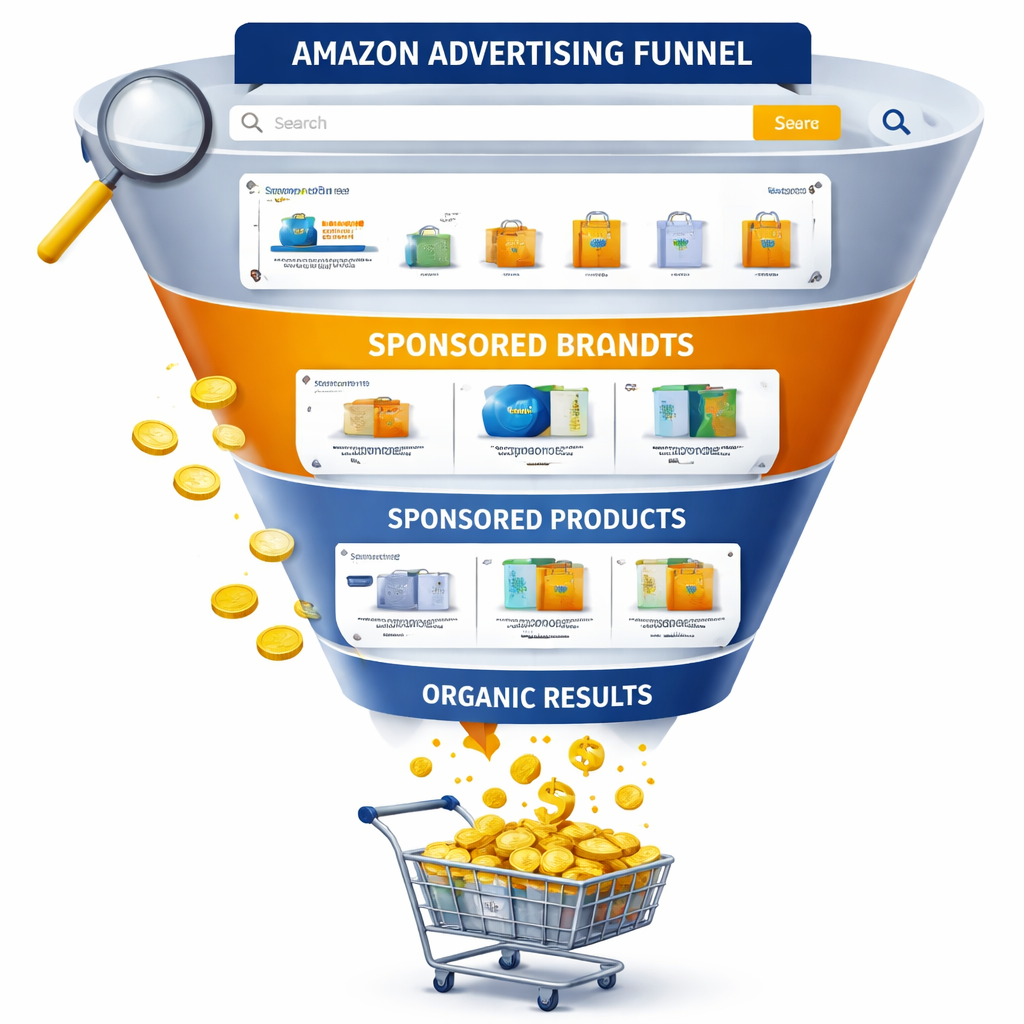
Finally, blend your ad data with your listing data. When an ad shows a high conversion rate on a keyword, add that keyword to your backend terms. When an ad underperforms, consider swapping the main image or adjusting the price. This loop turns paid spend into organic growth , a core amazon product ranking tip.
Step 4: Monitor Performance and Iterate with Data
All the work above means nothing if you don’t keep checking the numbers.
Set up a dashboard that pulls data from the SP‑API, Advertising API, and Brand Analytics every day. Track impressions, clicks, CTR, conversion rate, and Buy Box percentage for each ASIN.
Flag any ASIN where CTR drops more than 20% week over week. That’s a sign the main image or title may have lost its appeal. Open the listing, compare the current image to the previous version, and swap if needed.
Watch the sales velocity. If an ASIN’s units sold fall while impressions stay steady, your conversion rate is slipping. Look at the reviews , a new negative trend can hurt conversion. Respond to customer questions quickly to keep the sentiment positive.
Use the data to prioritize. The highest‑revenue ASINs get a weekly check, the long‑tail get a monthly check. This matches the internal process described in the manual‑vs‑continuous article, where you focus on the listings that matter most.
Every quarter, run a full title audit. Pull the top 10 search terms for each ASIN from Brand Analytics, then see if any high‑volume term is missing from the title. Add it, keeping the title under 200 characters.
Don’t forget the backend. If a new synonym appears in shopper language, add it to the backend search terms. This keeps your listing fresh for emerging queries.
For large catalogues, automate the alerts. Use a simple rule‑engine: if CTR < 0.3% and impressions > 5,000, send a Slack message to the listing team. This way you never miss a dip.
And remember, Rufus reads every part of your page. When you add a new attribute in the item type template, update the bullet that talks about that attribute. Consistency across fields improves AI confidence.
To see how a continuous monitoring system works in practice, read Amazon Rufus Listing Optimization. It shows how data‑driven alerts keep large catalogues ranked.
Frequently Asked Questions
What are the first amazon product ranking tips I should try?
Start with the basics: fix any title that exceeds 200 characters, add a high‑quality main image, and fill all backend search terms. Then run a quick check on your bullet points to make sure each one focuses on a single benefit and contains a keyword. These steps address the biggest signals the algorithm looks at and give you fast wins.
How often should I update my product titles?
We recommend a quarterly review. Pull the Search Term Report from Brand Analytics, note any high‑volume terms missing from your titles, and add them while keeping the title under 200 characters. A quarterly cadence keeps you in sync with seasonal trends and new shopper language.
Can I use the same image for every product variation?
No. Each variation should have its own main image that shows the actual colour or size. Amazon’s guidelines require the image to match the exact product being sold. Using a single image can lead to suppression and lower CTR because shoppers can’t see what they’ll get.
How do I know which keywords are worth bidding on?
Look at the Search Term Report for each ASIN. Pick keywords that have a high impression count but a low organic rank. Those are the gaps you can fill with Sponsored Products. Keep an eye on the cost‑per‑click and ensure the ACoS stays below your target profit margin.
What role does Amazon Brand Analytics play in ranking?
Brand Analytics gives you insight into search query performance, conversion rates, and market share. By monitoring these metrics you can spot high‑potential keywords, see if your listings are losing clicks, and adjust titles or images accordingly. It’s a core tool for data‑driven amazon product ranking tips.
How can I improve my CTR without spending on ads?
Focus on the main image. Use a three‑quarter angle, fill the frame, and show the product in use if possible. Also, make the first few words of your title a strong benefit. These changes are free but can lift organic CTR dramatically, as shown in the research on image‑focused tips.
Conclusion
Getting higher rankings on Amazon isn’t magic. It’s a mix of clean listings, smart keywords, targeted ads, and constant data checks. The amazon product ranking tips we covered , from optimizing titles and images to using Brand Analytics and Sponsored Products , give you a clear roadmap.
If you run a large catalogue, a continuous system that pulls API data, flags issues, and queues fixes will save you time and keep you ahead of the competition. That’s why many top brands work with agencies that can run a data‑driven, AI‑assisted optimisation loop at scale.
Ready to take the next step? Start by auditing your top 20 SKUs with the checklist above, set up daily data pulls, and watch your traffic climb. The market won’t wait, and with the right amazon product ranking tips you’ll stay in front.
Want this done for your catalogue automatically?
Get a free catalogue scan